
Building a brand-new website for your business or personal portfolio often leads to an unexpected hurdle: realizing you need to master the exact difference between UI and UX design before writing a single line of code.
Getting stuck on terminology is completely normal when starting your web design journey. The digital space moves quickly, and understanding how these twin pillars support every successful site will make your creative build smoother from start to finish.
This breakdown clears up the confusion surrounding both concepts so you can plan, design, and launch digital experiences that your visitors will genuinely love.
Key Takeaways
- UX drives structural logic, user research, and overall functionality.
- UI manages visual elements, button styles, typography, and color aesthetics.
- Both disciplines depend on each other to create high-converting websites.
- Wireframing must happen before applying final graphic design choices.
- Usability testing ensures your site stays intuitive as content grows.
Knowing the Difference Between UI and UX Design Matters
Understanding the difference between UI and UX design keeps you from wasting time, burning through budget, and launching a confusing site that scares off your ideal audience.
When you treat structure and visual polish as a team, every page you publish attracts more visitors and converts them into loyal fans effortlessly.
The Core Differences
UX (User Experience) design is the analytical, problem-solving process of how a product works and how users feel while using it. UI (User Interface) design is the visual and interactive design, covering the overall layout, colors, and buttons. In short, UX dictates the functionality, while UI focuses on the aesthetics.
UX design focuses on the overall feel of the product, information architecture, user flows, and usability testing. The goal is to ensure a user can accomplish tasks intuitively and without frustration. It applies to physical products, services, and digital apps.
UI design focuses exclusively on digital products. It handles the look and interactive feel, including typography, color palettes, spacing, and animations. The goal is to make the interface visually engaging and guide the user eye naturally.
A popular analogy is a car or a house: UX is the smooth ride, comfortable seating, and how intuitively the steering wheel operates. UI is the dashboard, choice of leather, paint color, and sleek shape of the vehicle.
| Feature | UX Design | UI Design |
| Primary Focus | User experience and functionality | Visual appearance and interactions |
| Main Goal | Solve user problems | Create an attractive interface |
| Key Tasks | User research, wireframing, usability testing | Typography, colors, icons, buttons |
| Tools | Figma, Miro, Maze, UserTesting | Figma, Adobe XD, Sketch |
| Success Metric | User satisfaction and task completion | Visual consistency and engagement |
How They Work Together

Both disciplines must collaborate to create a successful product. For example, a banking app might have gorgeous typography and a sleek blue layout. However, if it takes six confusing screens and three error pages to transfer money, it has bad UX. Conversely, a website with a logical, well-organized menu might look dated and clunky, causing users to leave quickly.
A great user journey requires building a sturdy structural backbone before applying visual flourishes. When user research directly informs your visual layout, visitors enjoy a seamless path from landing on your homepage to clicking your primary call to action.
Skipping either side of the equation creates immediate friction for your audience. Balancing seamless interaction with attractive design components ensures your digital platform stays competitive and memorable over time.
Applying the Difference Between UI and UX Design to Web Projects
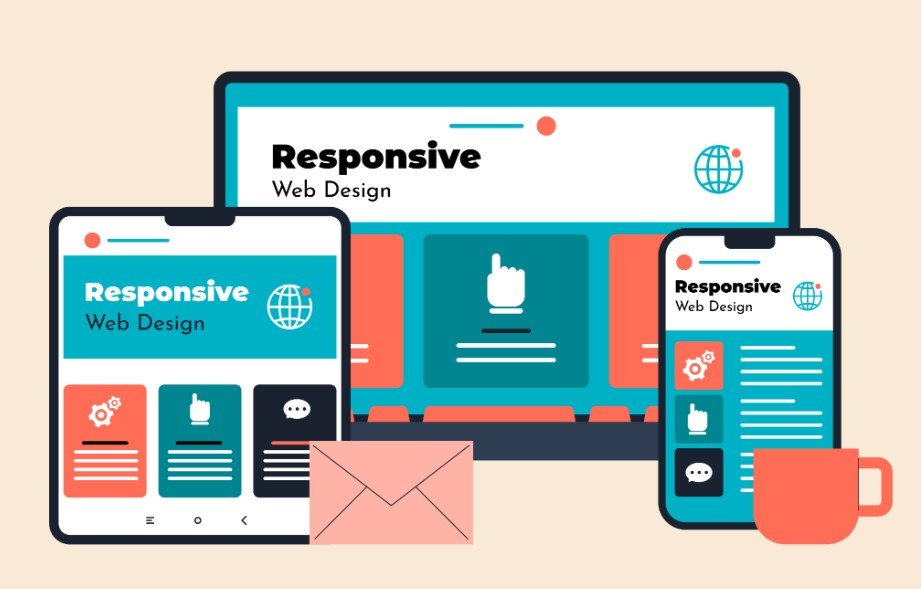
Putting these core principles into action for a responsive web design requires an organized, step-by-step approach that establishes clear functionality before dressing up the pages.
Step 1: Mapping User Flows and Wireframes

Begin your web project by charting every path a visitor takes to accomplish their goals on your site. Draft basic wireframe layouts that organize content logically without getting distracted by custom illustration styles or brand colors.
Setting up this initial skeleton keeps your focus squarely on clarity, navigation speed, and intuitive content structure. Eliminating potential user friction early saves dozens of design revisions down the road.
Step 2: Crafting Visual Systems

Once your structural blueprint is solid, transition into styling the graphical elements that give your site its distinct personality. Choose complementary typography pairs, define accessible color schemes, and design interactive button states that draw attention naturally.
Applying consistent design systems creates brand trust and guides user eyes toward important conversion spots smoothly. Polished visual polish makes interaction feel rewarding and clear on every screen size.
Step 3: Testing and Iterating Real User Interactions
Finish your project by putting your clickable prototype in front of real people to observe where they hesitate or click by mistake. Use their direct feedback to refine button placement, adjust font sizing, and streamline multi-step forms.
Continuous refinement based on actual user behavior bridges the gap between theoretical planning and real-world success. Ongoing usability testing ensures your web properties continue performing at their peak as audience habits evolve.
Frequently Asked Questions
1. What Is the Main Difference Between UX and UI Design?
The main difference between UI and UX design is that UX focuses on overall functionality, research, and user satisfaction, while UI handles the visual layout, colors, typography, and interactive touchpoints.
2. Which Is Better UI or UX Design?
Neither discipline is better because both are completely essential for digital success. A site needs strong UX to ensure smooth navigation and strong UI to attract and engage users visually.
3. Should I Learn UI or UX First?
Learning UX fundamentals first is usually best because understanding user psychology, wireframing, and site structure gives you a solid foundation before you start designing colorful visual elements in Figma.
4. What Pays Better, UX or UI?
UX design roles often command slightly higher median salaries because they require extensive data analysis, user research, and product strategy, though skilled senior UI designers earn very similar competitive pay.
Mastering the Secret Sauce for Web Design Greatness!
Mastering the difference between UI and UX design transforms static webpages into dynamic, high-converting digital journeys. When you blend intuitive structural planning with eye-catching visual artistry, your web design projects will capture attention, build trust, and deliver remarkable results every single time.