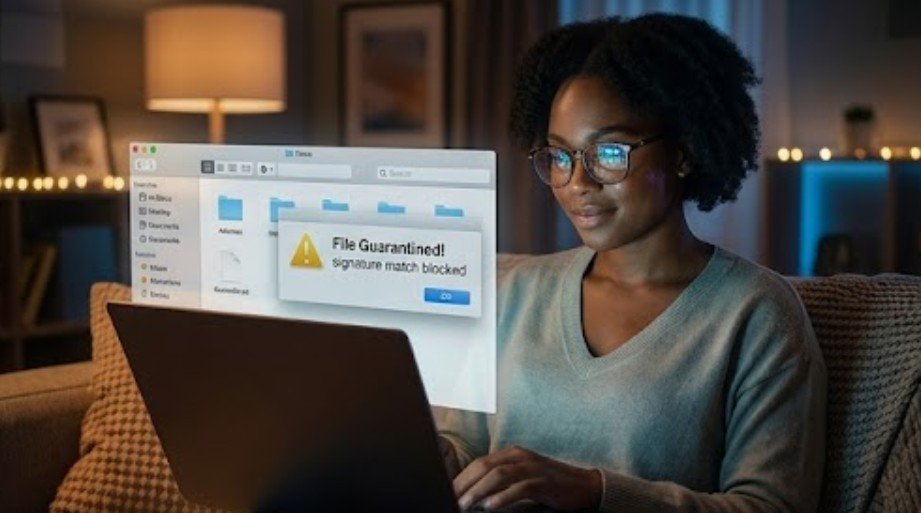

A contact form should connect a business with potential customers, not fill its inbox with junk or hide genuine inquiries in a spam folder. I have found that these two problems often look similar but require different solutions. One involves bots submitting unwanted messages, while the other involves legitimate form notifications being filtered by Gmail, Outlook, or another email provider.
When I explain how to prevent website contact forms from going to spam, I recommend protecting both sides of the process. The form needs layered defenses against automated submissions, and its email system needs authenticated delivery. Combining both strategies keeps the inbox cleaner without creating frustrating barriers for real customers.
Why Are Website Contact Forms Attracting Spam?
Publicly accessible forms give automated bots an easy way to send advertisements, phishing links, malware, and fake inquiries. Basic scripts scan websites for common form fields and submit content repeatedly. More advanced systems can imitate human behavior or employ real people to bypass simple CAPTCHA challenges.
Legitimate notifications face a different problem. Many websites send email through a basic server function that does not authenticate the sender properly. Email providers may distrust these messages, especially when the visible sender address does not match the website domain. Poor server reputation, missing DNS records, suspicious content, and oversized attachments can also send valid inquiries to junk.
The first step is therefore identifying the problem. If nonsense appears in the inbox, strengthen submission security. If a genuine entry exists in the website dashboard but its notification appears in junk, improve email deliverability.
1. How Can Invisible Bot Detection Stop Form Spam?

Traditional image puzzles can frustrate users, create accessibility challenges, and reduce conversions. I prefer invisible or low-friction bot detection for most business forms.
Cloudflare Turnstile evaluates browser and interaction signals without usually requiring visitors to identify traffic lights or storefronts. Google reCAPTCHA v3 assigns a risk score based on behavior, allowing the website to approve, challenge, or reject a submission.
Neither option should operate alone. Attackers constantly adjust their methods, and some services may classify genuine visitors incorrectly. I configure server-side verification so a bot cannot bypass the visible page and send requests directly to the form endpoint.
2. Does a Honeypot Field Block Contact Form Bots?
A honeypot adds a hidden field that legitimate visitors should leave empty. Basic bots inspect the form’s underlying structure, fill every available field, and expose themselves. The backend can reject the submission when it finds content in the trap.
I avoid relying on a plainly hidden field as my only defense because sophisticated bots can recognize common honeypot patterns. Poor implementation can also cause browser autofill or assistive technology to interact with the field. An accessible honeypot provided by a reputable form system, combined with server-side validation, works more reliably.
Changing the field name occasionally and confirming that it remains empty can strengthen this zero-friction layer without inconveniencing genuine customers.
3. Which Anti-Spam Filters Work for Contact Forms?
Services such as Akismet and CleanTalk inspect names, email addresses, links, IP signals, and message content. They compare submissions with known spam patterns and reputation databases. This approach can catch unwanted SEO, cryptocurrency, guest-posting, and sales pitches that pass an automated bot challenge.
As part of a small business website maintenance checklist after launch, I also review contact forms regularly, update plugins and themes, monitor security alerts, test backups, and check website performance. Ongoing maintenance helps keep the site secure, reliable, and fully functional while reducing the risk of spam, downtime, and security vulnerabilities.
Content filtering should look for patterns instead of one isolated word. Multiple links, repeated phrases, malformed addresses, suspicious domains, and unrelated promotional language provide stronger evidence than a single keyword.
I send uncertain entries to a review queue instead of deleting them permanently. This precaution makes it easier to recover a real customer’s message when a filter produces a false positive.
4. Can Timing Rules and Rate Limits Reduce Automated Submissions?

Bots often load and submit forms far faster than people. Measuring the time between page loading and form submission can provide a useful risk signal. However, automatically rejecting every entry completed in under five seconds can block visitors who use browser autofill, saved contact details, or assistive input tools.
I combine timing data with other indicators rather than treating it as absolute proof. A fast submission that also completes a honeypot field and includes several suspicious links presents a much stronger spam signal.
Rate limiting adds another layer by controlling how many times one session, network address, or device signal can submit the form during a set period. Limits should remain flexible because offices, schools, libraries, and mobile networks may place many legitimate visitors behind one shared IP address.
5. Should You Block Disposable Emails and Banned Keywords?
Temporary email domains frequently appear in low-quality submissions, so disposable-domain detection can reduce abuse. I also filter recurring spam phrases, excessive URLs, unsupported file types, and obviously fabricated contact information.
Broad rules can cause unnecessary damage. Blocking entire languages, foreign characters, or major public email providers may reject legitimate US customers with international names or multilingual messages. A safer system scores several risk factors and quarantines questionable entries for review.
Businesses should also validate email formatting, restrict file size and type, sanitize every field, and process all validation on the server. Frontend validation improves usability, but attackers can bypass it.
6. How Do SMTP, SPF, DKIM, and DMARC Keep Notifications Out of Junk?
Anti-bot controls cannot stop legitimate notifications from landing in spam. For that problem, the website needs authenticated email delivery.
I replace unreliable server-based mail with a reputable transactional email provider connected through SMTP or an API. SPF identifies the services authorized to send on behalf of the domain. DKIM (DomainKeys Identified Mail) applies a digital signature that allows receiving servers to verify the message. DMARC checks domain alignment and tells providers how to handle authentication failures.
The visible From address should use the website’s authenticated domain. The visitor’s submitted address belongs in the Reply-To field, allowing the business to respond directly without making the notification look spoofed. Consistent sender names, straightforward subject lines, minimal links, and smaller attachments can further improve inbox placement.
7. How Should You Test and Back Up Contact Form Submissions?

I never depend on email as the only record of an inquiry. Every valid submission should be stored securely in the website dashboard, database, or customer relationship management system. If delivery fails, the business can still recover the lead.
After changing the configuration, send genuine test submissions to Gmail, Outlook, Yahoo, and a business-domain inbox. Review the spam folder, message headers, SPF and DKIM results, and DMARC alignment. Tools such as Mail-Tester and MXToolbox can uncover authentication errors, blocklist problems, and domain-reputation concerns.
Enable delivery logs and failure alerts when the form platform supports them. Repeat testing after changing hosting providers, DNS settings, plugins, email services, or website domains.
Frequently Asked Questions (FAQs)
1. What is the most effective way to block contact form spam?
A layered setup works best. Combine invisible bot detection, an accessible honeypot, server-side validation, rate limiting, content analysis, and a temporary spam-review queue.
2. Why do legitimate contact form emails go to junk?
Notifications may go to junk because of missing email authentication, an untrusted sending server, poor sender reputation, domain misalignment, misleading subject lines, or incorrect From settings.
3. Does adding CAPTCHA stop all form spam?
No. CAPTCHA can reduce automated submissions, but advanced bots and human spammers may bypass it. Pair it with backend validation, rate limits, honeypots, and content filtering.
4. How can I learn how to prevent website contact forms from going to spam without blocking customers?
Begin with low-friction tools such as Turnstile and an accessible honeypot. Add authenticated email delivery, monitor quarantined entries, and adjust strict rules whenever they create false positives.
Keeping Every Genuine Inquiry Visible
I treat contact-form protection as an ongoing process rather than a one-time plugin setting. Bots change, sending reputations fluctuate, and email-provider requirements evolve. Regular testing helps me identify new delivery or submission problems before they cost the business a customer.
The most dependable setup protects the form, authenticates its notifications, stores every valid entry, and preserves a review path for uncertain messages. That balanced approach reduces junk while keeping the experience simple for people who genuinely want to make contact.